 orca.flo
Greet and qualify people who message you from an ad (Ad leads)
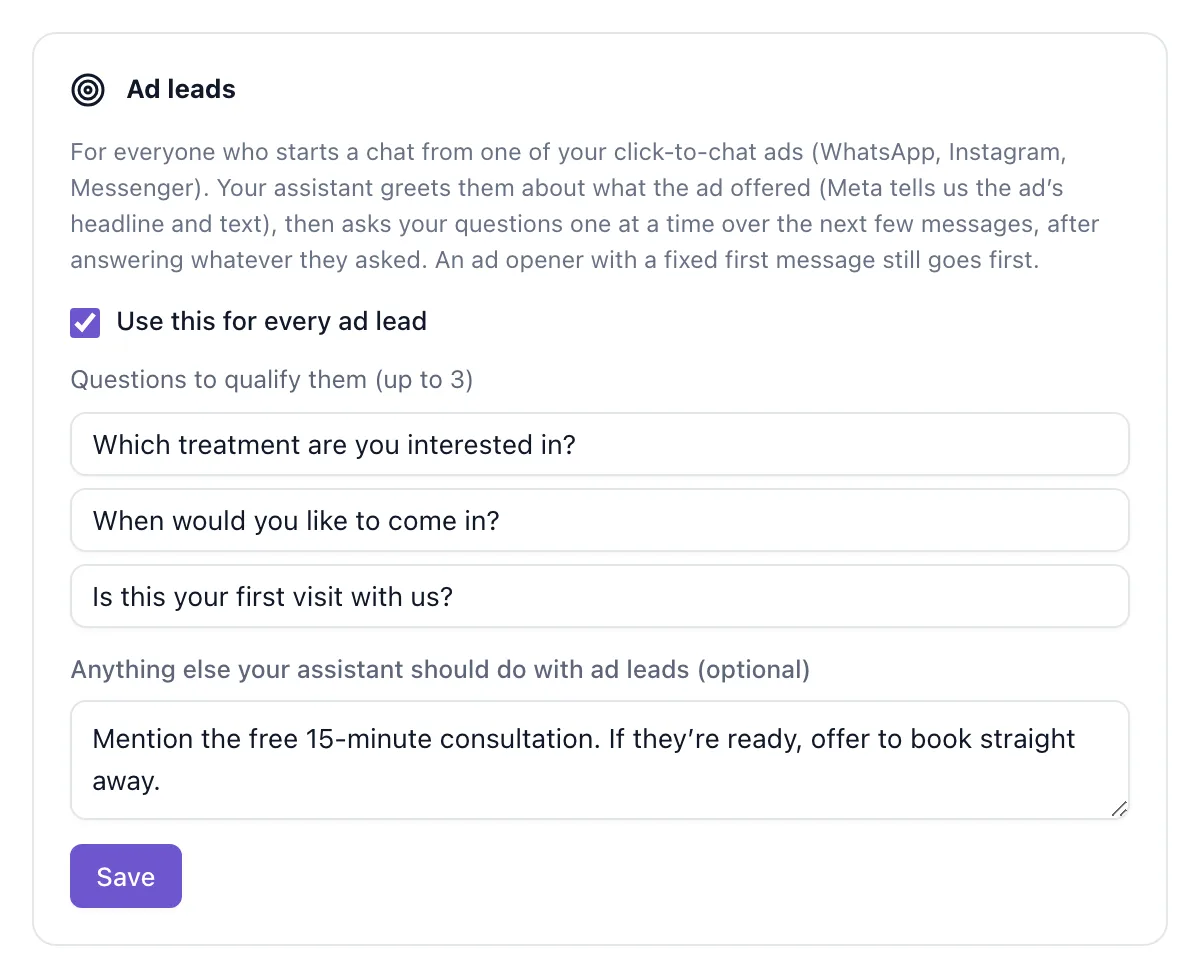
Someone who taps your ad expects you to talk about that offer. With Ad leads, your assistant knows what the ad showed (Meta tells us its headline and text), greets them about it, answers what they asked, and then asks your questions one at a time over the next few messages.
Updated
Set it up
Open Channels
In Channels, find the Ad leads card.
Switch it on
Tick Use this for every ad lead.
Write up to 3 questions
For example “Which treatment are you interested in?” and “When would you like to come in?”. Your assistant asks them in its own words, one per message, and never asks again what the customer already told you.
Add instructions (optional)
Anything else for ad leads, for example “Mention the free consultation. If they’re ready, offer to book straight away.” Click Save.
Good to know
New chats from ads only
It applies to a chat that starts from one of your click-to-chat ads, for its first few replies. Everyone else is answered as usual.
Works on your current WhatsApp
Click-to-WhatsApp ads work on a number linked with a QR code too. Instagram and Messenger ads work once those channels are connected.
Ad openers go first
If you set a fixed first message for an ad in Ad openers, that message is sent first, then your assistant carries on with your questions.
No made-up offers
Your assistant only mentions what the ad and your own information say. It never invents prices or discounts.
Not seeing Ad leads?
If you don’t see this in your panel yet, email support@orcaflo-panel.com and we’ll switch it on for your business.
Questions
Yes: the Ad lead → greet & qualify workflow template does the same with fixed messages. Use one or the other for the same ads, not both, or the customer is asked twice.
In Reports, the Ads tab shows chats, leads, bookings and payments per ad.