 orca.flo
Reply to comments automatically (comment to DM)
Turn comments into conversations. When someone comments on your post, OrcaFlo can reply under the comment and send that person one private message. If they answer, your assistant takes it from there.
Updated
Coming soon
Coming soon: this works once OrcaFlo’s Meta approval is complete. Email support@orcaflo-panel.com to be told first.
How it will work
Open your connected account
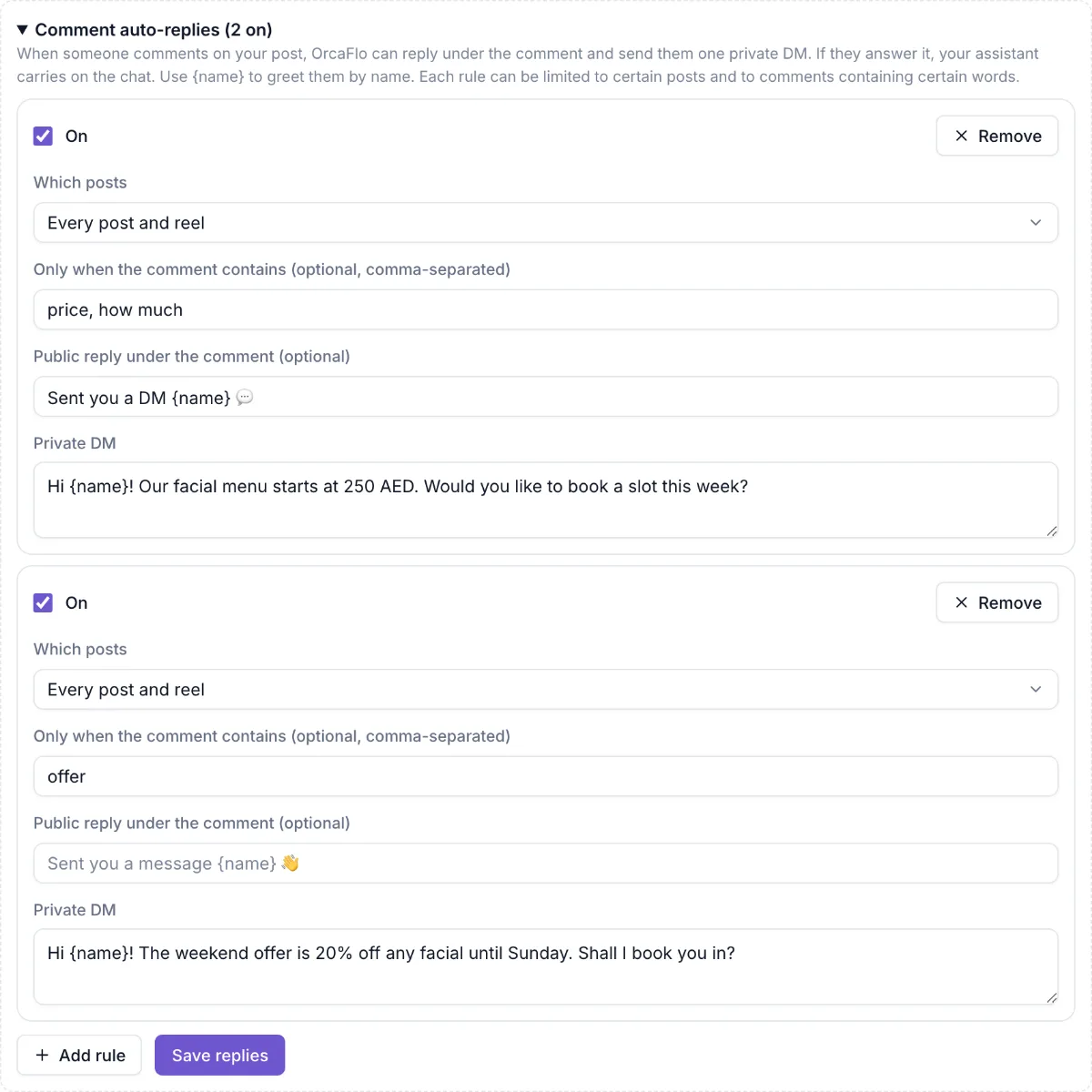
In Channels, under your Instagram account or Facebook Page, open Comment auto-replies and click Add rule.
Choose the posts
Every post (or every post and reel), or Only the posts I pick and tap the posts.
Choose the words (optional)
Only reply when the comment contains words like price, how much, info. Leave it empty to answer every comment.
Write the replies
A public reply under the comment (optional), and the private message. Use {name} to greet them. Click Save replies.
Good to know
One reply per person per post
Someone who comments five times on the same post gets one private message, not five.
Replies to replies are ignored
Only comments directly on your post trigger a rule, not answers to other comments.
Specific posts win
A rule for a picked post is used before a rule for every post.
Questions
Yes, on Instagram posts and reels, and on Facebook Page posts.
It becomes a normal chat in your inbox, and the assistant already knows what it sent them.