 orca.flo
Story replies, ice breakers and the Messenger menu
Small touches that start more conversations: a thank-you when someone mentions you in their story, ready answers for story replies, tappable questions for new visitors, and a menu in Messenger.
Updated
Coming soon
Coming soon: this works once OrcaFlo’s Meta approval is complete. Email support@orcaflo-panel.com to be told first.
Instagram: stories and ice breakers
Open the settings
In Channels, under your Instagram account, open Stories and ice breakers.
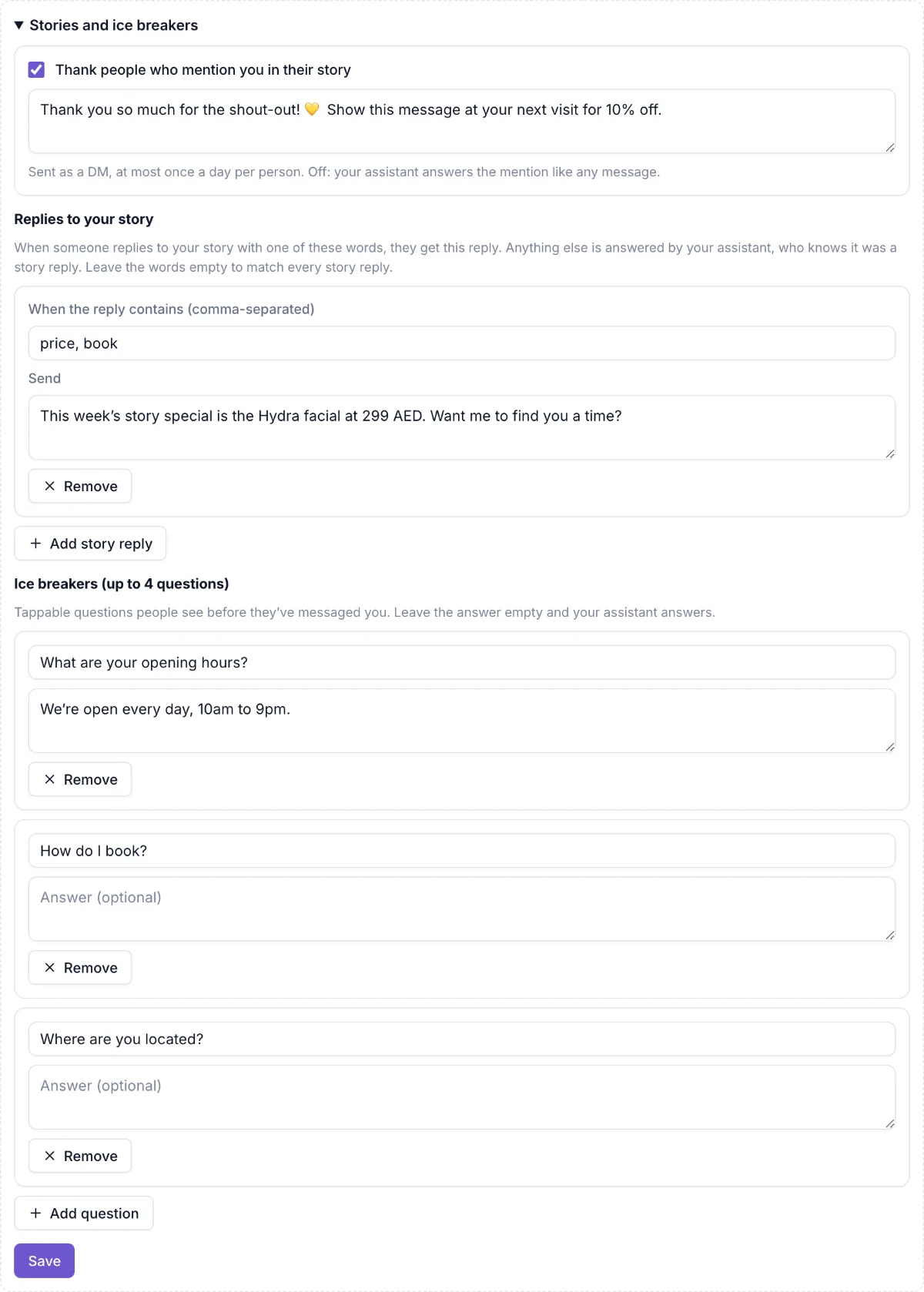
Story mentions
Tick Thank people who mention you in their story and write the message. Each person gets it at most once a day.
Story replies
Click Add story reply, enter words like price, book, and write the reply. Story replies without those words are answered by your assistant, who knows it was a story reply.
Ice breakers
Add up to 4 questions people can tap before they message you, like “What are your opening hours?”. Write an answer, or leave it empty and your assistant answers. Click Save.
Messenger: Get Started and menu
Open the settings
In Channels, under your Facebook Page, open Get Started, menu and ice breakers.
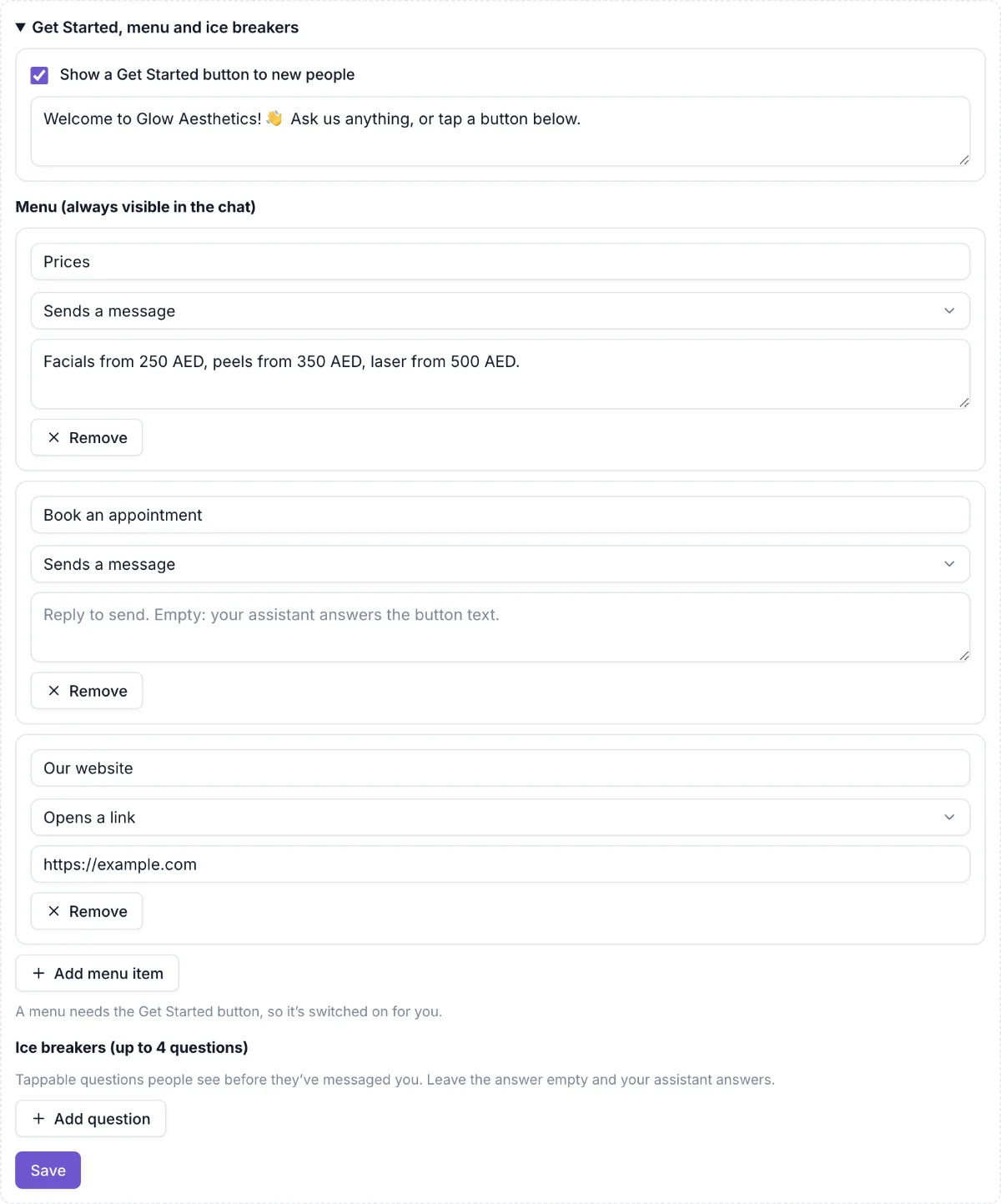
Get Started
Tick Show a Get Started button to new people, and write a welcome message (or leave it empty and your assistant greets them).
Menu
Click Add menu item. Each item either Sends a message (your reply, or your assistant answers) or Opens a link. Click Save; Messenger shows it within a few minutes.
Questions
Yes. Untick it or remove the item and click Save. Meta removes buttons within a few minutes.
Instagram and Messenger show ice breakers only to people who haven’t messaged you before.