 orca.flo
Workflow templates for your type of business
Templates are ready-made workflows you can use as they are or adjust. The ones made for your type of business are shown first.
Updated
Use a template
Open Workflows
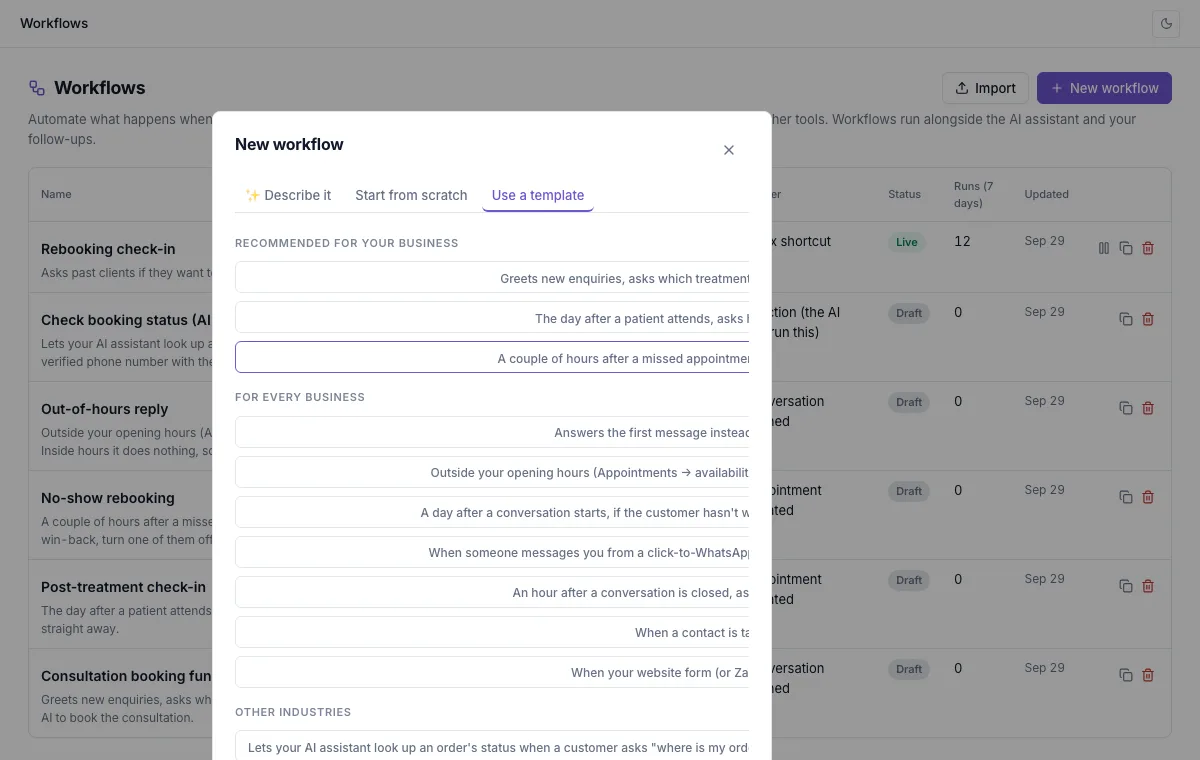
Click New workflow, then Use a template.
Pick one
Recommended for your business is at the top. Each template says in one line what it does.
Make it yours
Change the wording to sound like you, choose teammates where it asks, then Test and Publish.
Clinics, salons and gyms
Consultation booking funnel
Greets new enquiries, asks which treatment and when suits them, then hands over to the assistant to book.
Post-treatment check-in
The day after a visit, asks how they feel and flags anyone who isn’t well to your team.
No-show rebooking
A couple of hours after a missed appointment, kindly offers a new time.
Online shops and product sellers
Order status
Lets your AI assistant look up an order when a customer asks where it is. See AI actions.
Cash-on-delivery confirmation
Confirms a new cash-on-delivery order and the delivery address before you send it.
Restock list
Adds customers who want a sold-out product to a list, so you can message them when it’s back.
Abandoned cart reminder
Reminds customers who didn’t finish checking out, with their checkout link.
Real estate
Viewing booking
Collects area, budget and viewing time, then assigns the lead to an agent.
Qualify by budget and area
Tags leads by budget and area and sends big-budget leads to your senior agents.
Agent round-robin
Shares new enquiries fairly between your agents.
Every business
Welcome + qualify
Answers the first message, asks what the customer needs and tags them.
Out-of-hours reply
Outside your opening hours, tells customers when you’ll reply.
Quote request and review request
Collects the details for a quote, and asks happy customers for a review when a job is done.
Not seeing Workflows?
If you don’t see this in your panel yet, email support@orcaflo-panel.com and we’ll switch it on for your business.
Questions
Yes. All templates are in the list; the ones for your business are just shown first.
No. It opens as a draft. It only runs after you publish it.