 orca.flo
Conversation insights
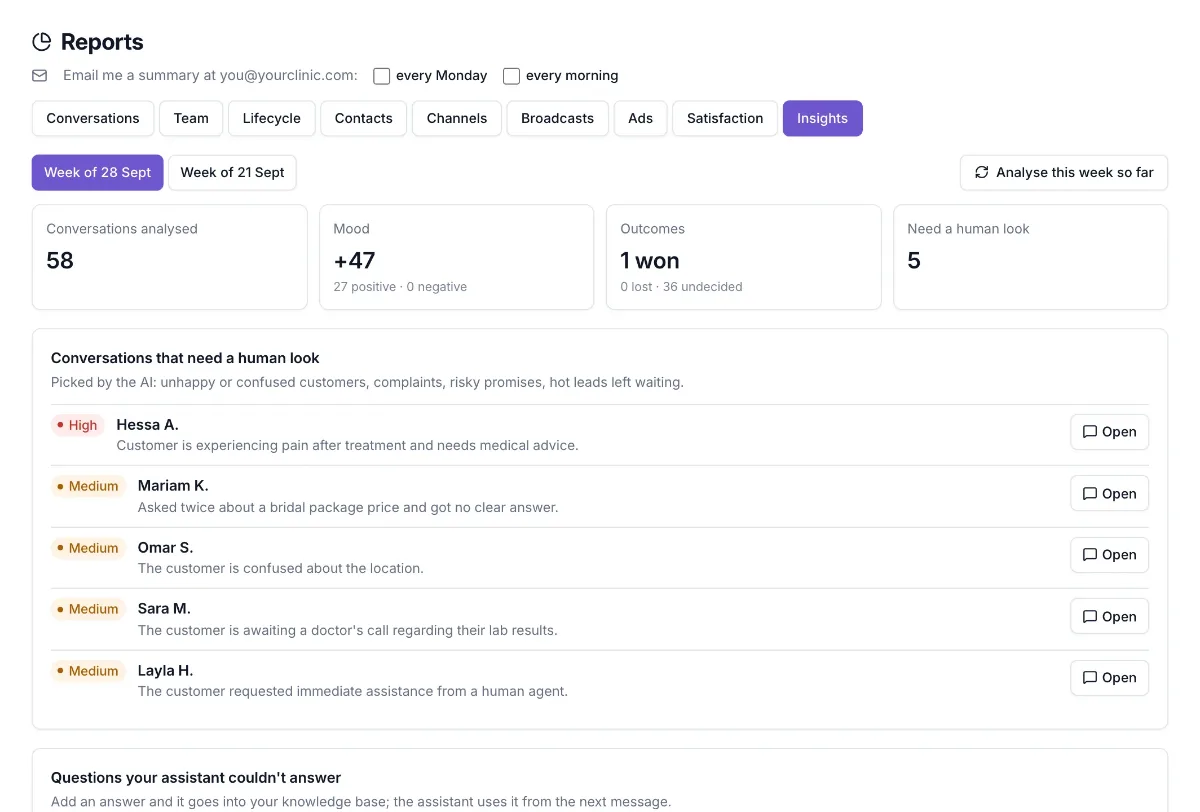
Every week OrcaFlo’s AI reads your conversations and tells you what matters: questions your assistant couldn’t answer, why people didn’t buy, what they ask about most, and which chats a person should look at now. Open Reports and click Insights.
Updated
What you’ll see
Conversations that need a human look
Unhappy or confused customers, complaints, promises the assistant can’t keep, medical questions, hot leads left waiting. Sorted by urgency. Click Open to go straight to the chat.
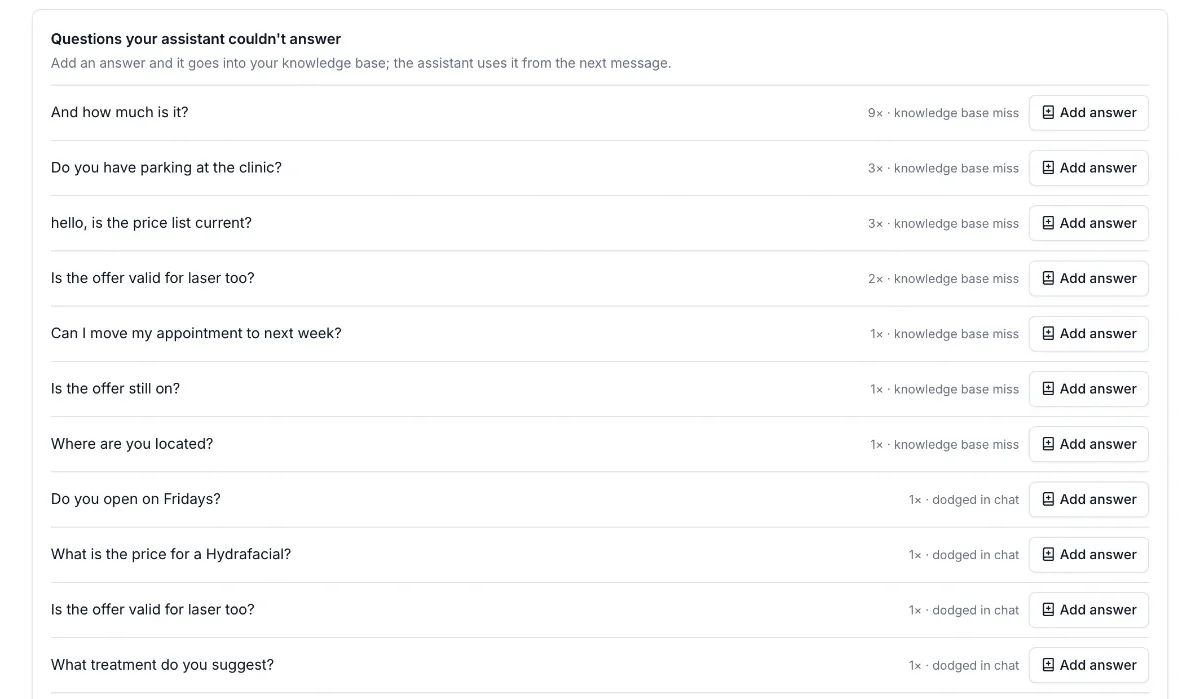
Questions your assistant couldn’t answer
In your customers’ own words, with how often they came up. You can add the answer in one click.
Why deals were lost
The reasons customers gave for not buying, grouped and counted.
Objections
Concerns customers raised, such as price, pain, timing or delivery.
Most asked about
The products and services customers asked about most.
Mood by week
Positive, neutral and negative conversations, compared with earlier weeks.
Teach your assistant in one click
Click Add answer
Next to a question your assistant couldn’t answer.
Write the answer
Write it the way you’d answer a customer, for example your parking, opening hours or a price.
Click Add to knowledge base
The answer is saved to your knowledge base and your assistant uses it from the next message. The question no longer shows in later reports.
Good to know
When it runs
Last week’s report is ready on Monday morning, and its highlights are in the weekly email. Admins can also click Analyse this week so far, up to 3 times a week and at most once an hour.
What it reads
Up to 60 conversations a week, starting with the ones most likely to matter: chats handed to your team, chats the assistant handled poorly, and chats that didn’t end in a sale.
Cost
It runs on your business’s AI account, like your assistant does. A week’s analysis usually uses a few cents of AI.
Privacy
Nothing is sent to your customers, and the report never shows phone numbers.
Check before acting
The AI can misread a chat. Use it as a pointer and open the conversation before acting on anything important.
Not seeing it?
If you don’t see this in your panel yet, email support@orcaflo-panel.com and we’ll switch it on for your business.
Questions
Admins and managers. Managers can add answers to the knowledge base. Only admins can run an extra analysis.
Yes. It reads conversations in Arabic or any other language, and writes the report in English.
No. It only reads your conversations and shows the results to you.