 orca.flo
Reports and customer satisfaction
Reports shows how your conversations are going: how many there are, how fast you reply, who handled them, which ads and channels they came from, and how happy customers were. Admins and managers can open it from the left menu.
Updated
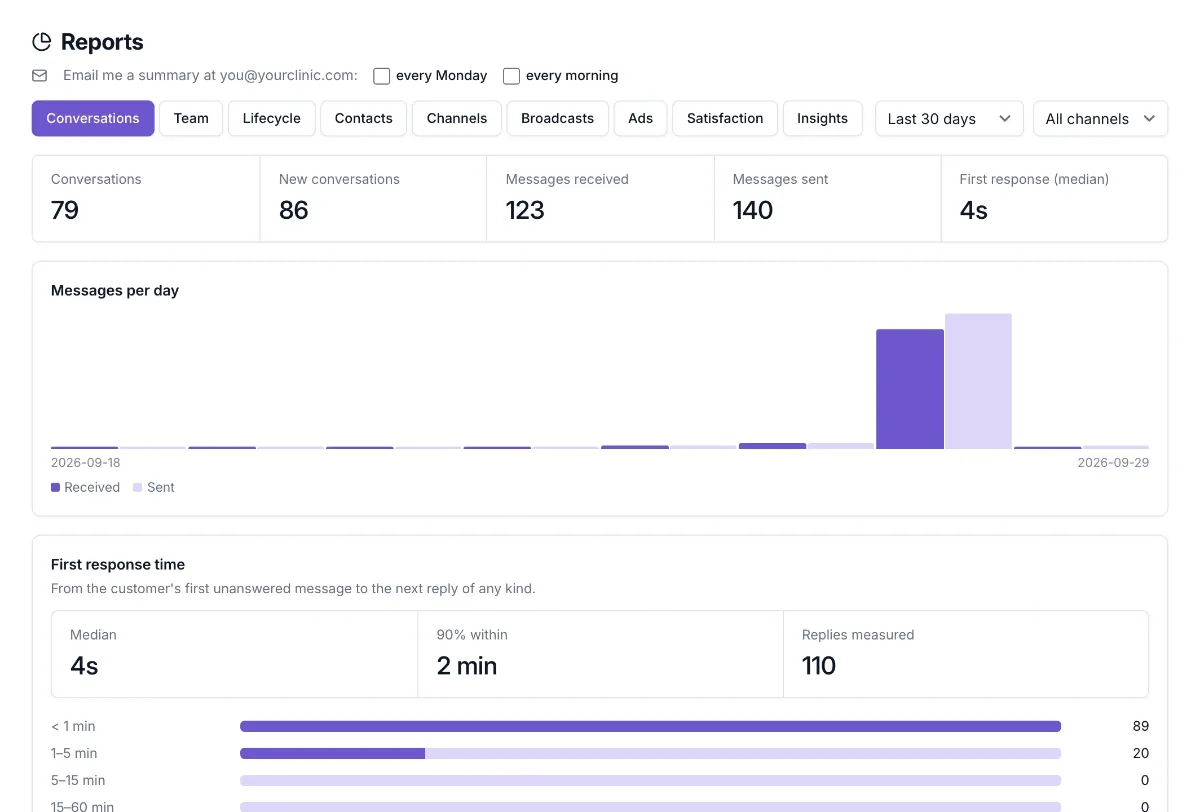
What each tab shows
Conversations
Conversations, new contacts, messages received and sent, and how fast the first reply came, from your AI assistant and from your team.
Team
Chats handed to your team, how many were resolved and how fast, open chats, and a leaderboard. With staff scheduling on, it also shows bookings per staff member.
Lifecycle and Contacts
How contacts move through your stages (for example New lead → Booked → Paid), new versus returning contacts, and where they came from.
Channels
WhatsApp, website chat, email, Telegram, Instagram, Messenger and TikTok side by side.
Broadcasts
For each broadcast: messages sent, failed, and how many customers replied within 48 hours.
Ads
Which ads and tracked links started chats, and how many became leads, bookings and paid orders. Works for Meta and TikTok click-to-WhatsApp ads.
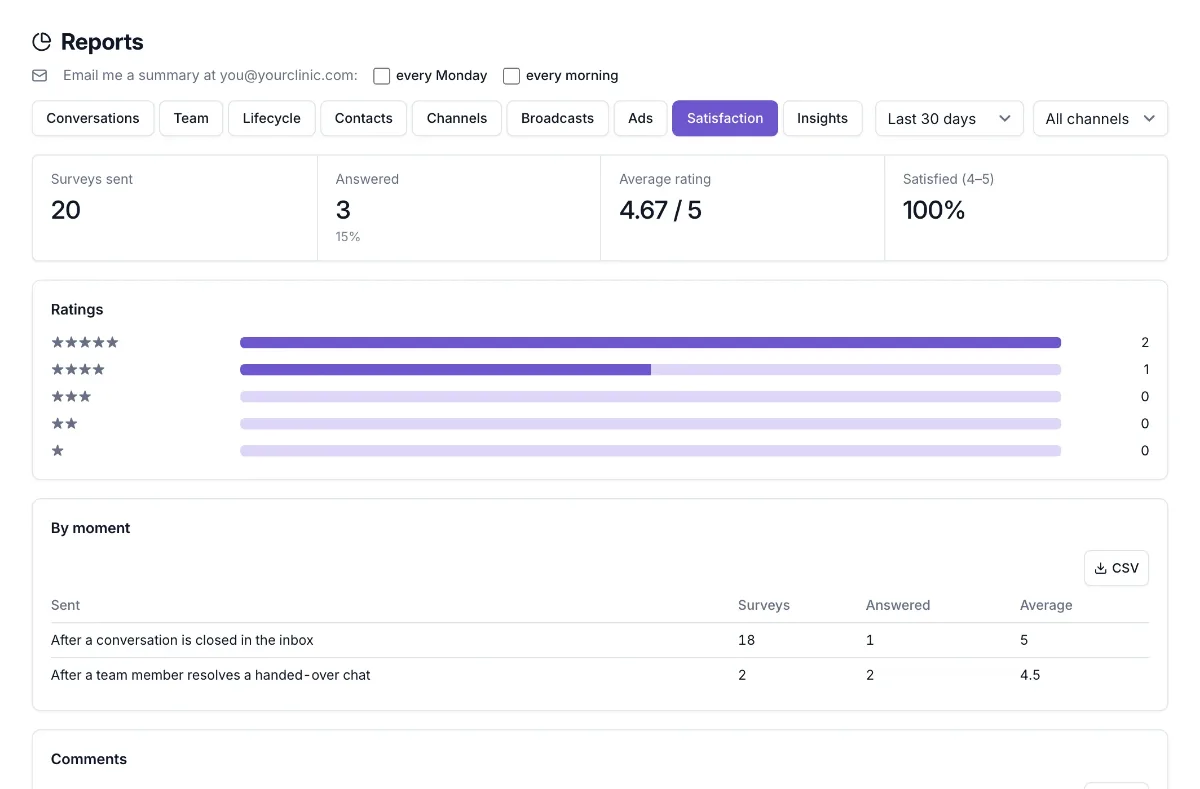
Satisfaction
Survey ratings and customer comments (see below).
Insights
A weekly AI summary of what customers asked and which chats need you. See conversation insights.
Download any table
Every table has a CSV button. It downloads what you see, ready for Excel or Google Sheets.
Prefer your numbers by email? Get a weekly summary.
Satisfaction surveys (CSAT)
Open Reports → Satisfaction
Admins switch surveys on here and choose when customers are asked.
Choose the moments
After a conversation is closed in the inbox, after a team member resolves a handed-over chat, after an appointment is marked as attended, or after an order is paid.
Write the question (optional)
Keep the standard question or write your own, in your language, plus the thank-you message.
Customers answer 1 to 5
They reply with a number (or stars), are thanked, and can add a comment. Your assistant doesn’t reply to the rating itself.
Read the results
Average rating, the share of happy customers (4 or 5), the spread of ratings, results per moment and comments.
Good to know
Not too often
Each customer is asked at most once every 14 days, and never during an open hand-over or while a person is chatting with them.
Real messages
Surveys are sent to your customers on WhatsApp, so switch them on when you’re ready.
Not seeing it?
If you don’t see this in your panel yet, email support@orcaflo-panel.com and we’ll switch it on for your business.
Questions
Admins and managers. Agents, doctors and viewers don’t see Reports.
Reports count the conversations OrcaFlo handled, in your business’s time zone. Chats from before you connected OrcaFlo aren’t included.