 orca.flo
Show your products inside the chat
Your assistant already knows your products and prices from **Products**. With a connected Meta catalog it can also send them as product cards with a photo and price, and customers can add them to a WhatsApp cart.
Updated
Coming soon
Coming soon: this works once OrcaFlo’s Meta approval is complete. Email support@orcaflo-panel.com to be told first.
What works today: your assistant answers questions about your products and prices from Products, and sends payment links as usual.
How it will work
Connect a catalog
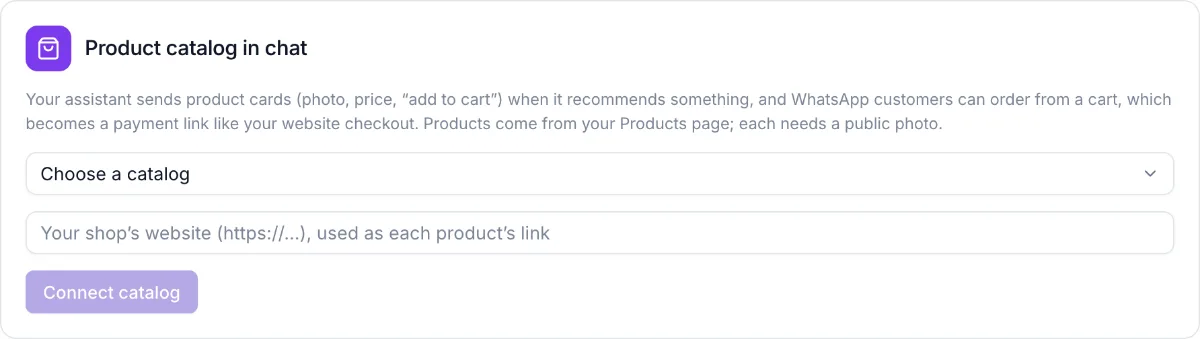
In Channels, the Product catalog in chat card lets you pick your Meta catalog (or create one) and enter your shop website.
Sync your products
Click Sync products. Products need a photo to appear in the catalog; the card tells you which ones were skipped and why. Sync again after you change prices.
Customers see product cards
When a customer asks about a product, the assistant sends it as a card. On WhatsApp they can add items to a cart and send it; the assistant replies with the payment link.
Questions
No. The order is priced from your own product list, not from the cart, before the payment link is sent.
Product cards need the official WhatsApp API. On a QR-linked number the assistant describes the products in text instead.